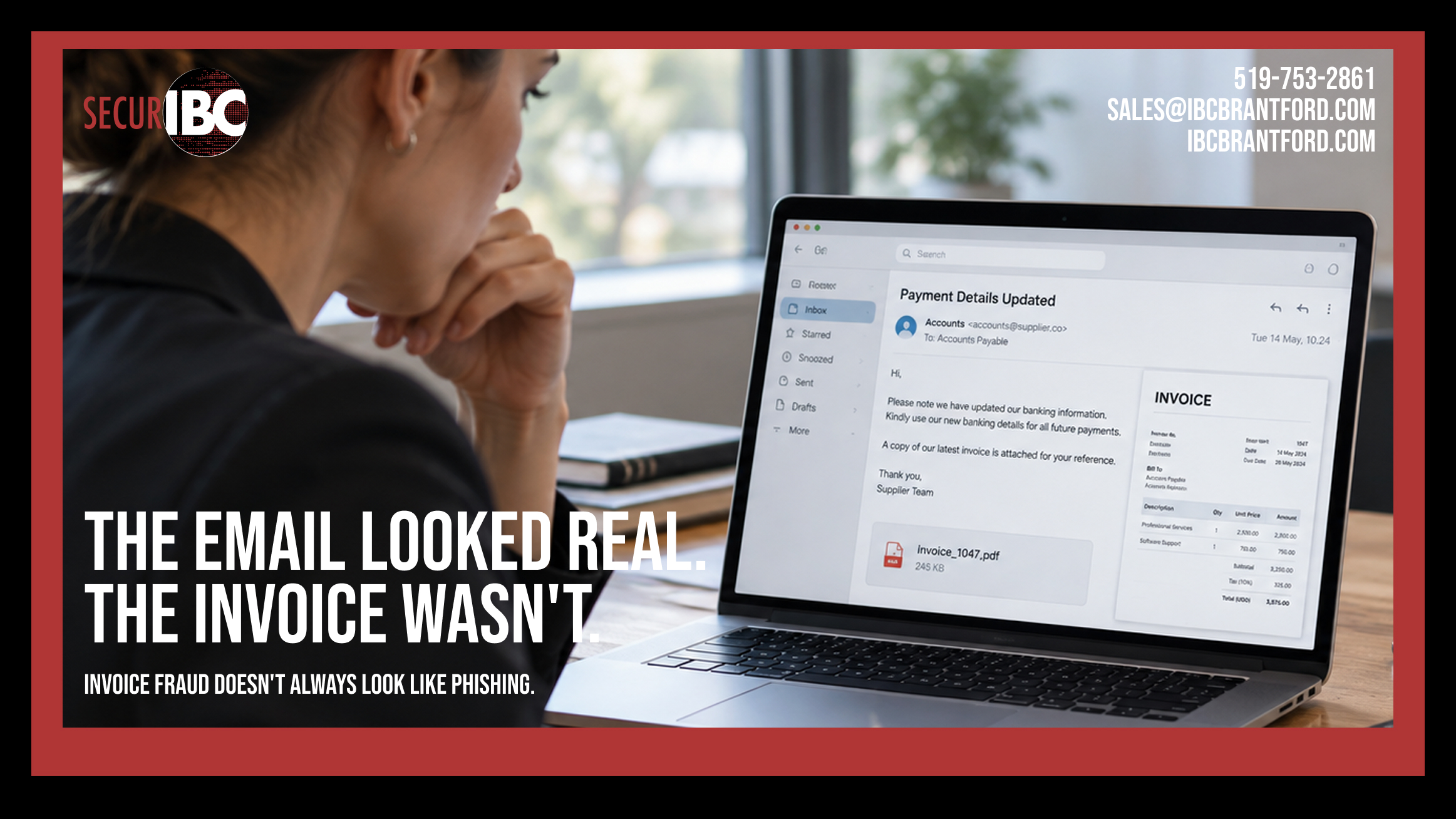
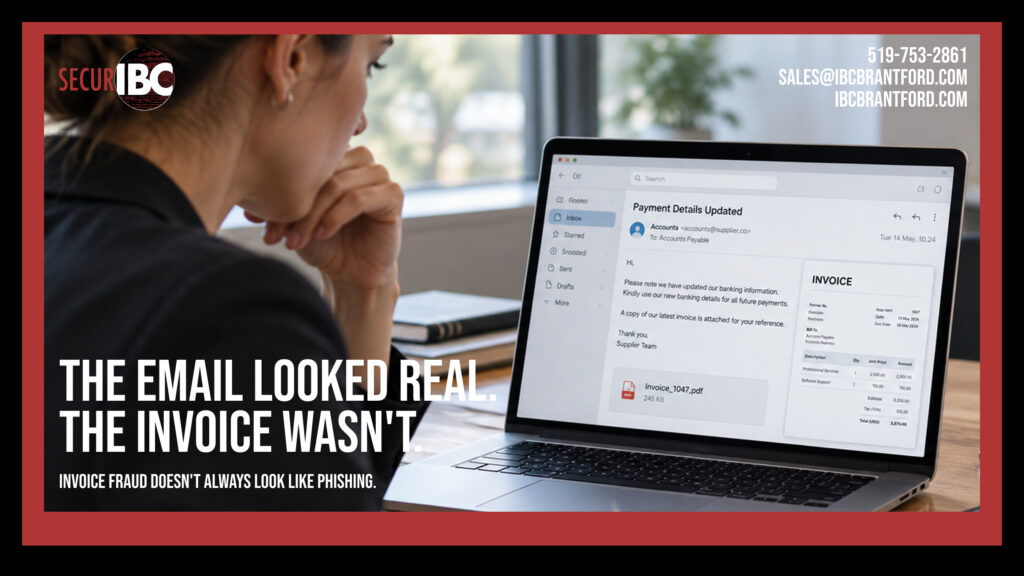
The email came from a familiar name.
The company logo looked right. The writing sounded professional. The invoice matched a vendor the business already worked with.
There was only one problem.
The banking information had changed.
By the time anyone realized the message was fraudulent, the payment had already been sent.
This is one of the reasons business email compromise, or BEC, is so dangerous. The attack does not always look like an obvious phishing email filled with spelling mistakes, strange attachments, or suspicious promises.
Sometimes, it looks exactly like normal business.
And that is the point.
What Is Business Email Compromise?
Business email compromise is a type of fraud in which criminals impersonate a trusted person or organization to convince someone to send money, change payment information, release sensitive information, or take another action that benefits the attacker.
The impersonated person might be:
- A company owner
- A manager or executive
- A supplier
- An accountant
- A lawyer
- A customer
- A contractor
- A financial institution
- Another employee
The attacker may use a lookalike email address, spoof a legitimate sender, or gain access to a real email account.
Microsoft defines BEC as an attack in which a trusted identity is impersonated to persuade someone to initiate a fraudulent financial transaction or provide sensitive information.
For businesses, one of the most common and costly versions involves invoices and payment instructions.
How Invoice Fraud Works
Imagine your company regularly receives invoices from the same supplier.
One day, Accounts Payable receives an email: “Please note that our banking information has changed. Kindly use the attached details for all future payments.”
The email looks normal.
The supplier name is correct.
The invoice amount makes sense.
The signature looks familiar.
The employee updates the banking information and sends the payment.
But the supplier never changed banks.
The money went to the attacker.
This type of payment redirection fraud is actively affecting Canadian businesses. In May 2026, the Canadian Anti-Fraud Centre reported helping recover approximately CAD $3.5 million connected to a payment redirection fraud targeting a Quebec business. The fraudsters impersonated legitimate contacts and manipulated email communications to provide fraudulent payment instructions.
The CAFC reported more than $68 million in Canadian spear-phishing fraud losses during 2025, with nearly $31 million reported during just the first three months of 2026.
This is not a theoretical security problem.
It is a financial risk.
Why These Emails Can Look So Convincing
Many people still imagine phishing as an obviously suspicious email.
That assumption is increasingly dangerous.
Attackers can spend time learning how a business communicates.
If they gain access to an email account, they may be able to see:
- Existing conversations
- Supplier names
- Invoice schedules
- Employee names
- Email signatures
- Payment dates
- Typical invoice amounts
- Who approves payments
- How executives communicate
The Canadian Anti-Fraud Centre has described cases in which criminals infiltrate or spoof email accounts, monitor communications, identify upcoming invoices, and then impersonate suppliers or contractors to redirect payments.
They may also create a domain that looks almost identical to a real company domain.
For example: companyname.com might become: company-name.com or a single letter might be changed.
At a quick glance, the difference can be extremely easy to miss.
AI Is Making Fake Business Emails Better
There is another reason businesses should stop relying on poor grammar as their primary phishing test.
Generative AI can help criminals produce convincing business communication.
In September 2026, Microsoft reported a campaign involving more than one million financial-fraud emails that combined executive impersonation, fabricated invoices, vendor branding, and fake forwarded conversations. Microsoft said the campaign showed indicators consistent with generative AI being used to help create the messages.
In the campaign, attackers impersonated company executives and attempted to convince Accounts Payable staff to process payments approaching $50,000.
The lesson is simple: Professional-looking writing is no longer proof that an email is legitimate.
The Email Account Does Not Always Need to Be Hacked
A common misconception is that invoice fraud means someone must have hacked the supplier’s email account. That can happen. But it is not required.
Attackers may use:
- Lookalike domains
- Display-name impersonation
- Email spoofing
- Compromised third-party accounts
- Fake invoices
- Fabricated email conversations
In some cases, the real organization being impersonated has not been compromised at all.
Microsoft’s September 2026 investigation found attackers using fraudulent domains and content designed to imitate legitimate organizations rather than compromising those organizations directly.
This means employees cannot rely only on whether the sender’s name looks familiar.
Warning Signs of Invoice Fraud
Not every fraudulent message looks suspicious, but there are patterns businesses should recognize.
1. Banking information suddenly changes
A request to send future payments to a new bank account should always trigger an independent verification process.
Do not confirm the change by replying to the same email.
2. There is unusual urgency
Messages may say:
- Payment must be made today
- The invoice is overdue
- The executive is unavailable
- The transaction is confidential
- Normal approval procedures should be skipped
Urgency reduces the time people spend questioning a request.
3. The email address is slightly different
The display name may say John Smith – ABC Supplier, while the actual address belongs to a similar but fraudulent domain.
4. Normal payment procedures suddenly change
A long-time supplier unexpectedly requests:
- A wire transfer
- A different account
- A different payment method
- Payment to another country
- Payment to an unfamiliar business name
The change matters more than how professional the message looks.
5. Someone asks you not to call
Requests such as “I’m in a meeting,” “Please don’t contact the vendor,” or “Handle this confidentially” can be used to stop employees from independently verifying the transaction.
6. The request does not quite match normal behaviour
Maybe the owner normally calls before approving a large payment.
Maybe the supplier has never changed banking information by email before.
Small differences in normal business behaviour can be more useful than obvious spelling mistakes.
The CAFC specifically identifies changed banking instructions, unusual urgency, lookalike email addresses, new payment accounts, and unexpected wire instructions as warning signs.
The Best Security Control May Be a Phone Call
Technology is important, but invoice fraud cannot be solved by technology alone.
Businesses should have a payment-verification procedure.
If a supplier requests a change to banking information, contact the supplier independently.
Do not:
- Reply to the suspicious email
- Call a phone number contained in the suspicious message
- Use contact information from the attached invoice
Instead, use contact information already known to the business.
For example, call the supplier using a phone number already stored in your accounting system or obtained from a previously verified source.
The Canadian Anti-Fraud Centre specifically recommends independently verifying payment instructions and confirming banking changes using trusted contact information.
A two-minute phone call can prevent a very expensive mistake.
Create a Payment Change Procedure
Businesses that regularly send supplier payments should document how changes are approved.
For example:
Step 1: Employee receives a banking change request.
Step 2: The change is not entered immediately.
Step 3: A known contact at the supplier is called using previously verified information.
Step 4: The banking change is verbally confirmed.
Step 5: A second authorized person approves the update for significant transactions.
Step 6: The change is documented.
The procedure should apply regardless of who sends the email. Even if the request appears to come from the owner of the company. Especially if the request appears to come from the owner.
Multi-Factor Authentication Still Matters
Payment procedures protect the financial process. Security controls protect the accounts behind it.
One of the most important controls is multi-factor authentication (MFA). If an attacker obtains an employee’s password, MFA can create another barrier before the account can be accessed.
MFA should be enabled for business accounts wherever possible, particularly:
- Microsoft 365
- Accounting systems
- Banking systems
- Administrative accounts
- Cloud applications
- Remote-access services
However, MFA should not create a false sense of security. Modern phishing attacks can target authentication sessions and other sign-in mechanisms, which is why businesses need layered protection rather than depending on one control.
Microsoft 365 Email Security Needs Configuration
Using Microsoft 365 does not mean every possible phishing message will automatically be blocked.
Microsoft 365 includes anti-spam, anti-malware, and anti-phishing protections, while additional security capabilities are available depending on licensing and configuration.
Organizations should review areas such as:
- Anti-phishing policies
- Spoof protection
- Impersonation protection
- Safe Links and Safe Attachments where available
- External sender identification
- Mail forwarding
- Administrator permissions
- Suspicious inbox rules
- Sign-in activity
- MFA
- Security alerts
Microsoft notes that even with anti-phishing protection, some phishing messages can still reach users, which makes proper configuration and investigation important.
The goal is not simply to purchase a security licence. The goal is to configure, monitor, and maintain the environment properly.
Employees Are Part of Email Security
An employee who handles invoices may be just as important to cybersecurity as a firewall. Accounts Payable, management, HR, and other employees should understand what modern phishing looks like.
Training should focus on realistic situations:
- Changed banking instructions
- Fake invoices
- Executive requests
- Password-reset messages
- Microsoft 365 sign-in prompts
- Shared document notifications
- Payroll changes
- Gift card requests
Microsoft reported approximately 10.7 million BEC attacks during Q1 2026, illustrating the scale of the problem. Interestingly, the majority of initial BEC messages were simple contact-establishment emails rather than immediate demands for money.
The attack may begin with something as simple as: “Are you at your desk?” The financial request can come later.
Your Vendors Are Part of the Risk Too
Your own company can have strong cybersecurity and still receive a convincing fraudulent message related to a supplier.
If a vendor’s mailbox is compromised, attackers may gain visibility into legitimate conversations and invoices.
This means businesses should not treat a familiar conversation thread as automatic proof of legitimacy.
High-risk changes should still be verified.
That includes:
- Banking changes
- Large payment requests
- New wire instructions
- Payroll changes
- Requests for confidential information
Trust the relationship.
Verify the transaction.
What If Someone Already Sent the Payment?
Speed matters.
If your company discovers that money may have been sent to a fraudulent account:
- Contact your financial institution immediately.
- Tell them the transaction may be fraudulent.
- Contact your IT provider or security team immediately.
- Secure potentially compromised email accounts.
- Review sign-in activity, forwarding rules, inbox rules, MFA and active sessions.
- Preserve relevant emails and evidence.
- Contact local police where appropriate.
- Report the incident to the Canadian Anti-Fraud Centre.
Quick reporting can improve the possibility of recovering funds. Recent Canadian cases have demonstrated that coordination between businesses, banks, law enforcement, and fraud agencies can sometimes stop or recover fraudulent transfers.
There is no guarantee that funds can be recovered.
That is why immediate response matters.
A Simple Email and Invoice Fraud Checklist
Before sending a significant payment, ask:
- Is this payment expected?
- Is this the normal amount?
- Is the sender’s full email address correct?
- Has the payment method changed?
- Has the bank account changed?
- Is there unusual urgency?
- Is the sender asking us to bypass normal procedures?
- Have we independently confirmed any banking change?
- Are two people required to approve significant payments?
- Is MFA enabled on relevant business accounts?
If one part of the request feels unusual, verify it before sending money.
Technology and Process Need to Work Together
There is no single product that completely eliminates business email compromise.
Effective protection combines several layers:
- Securely configured email
- Multi-factor authentication
- Endpoint security
- Account monitoring
- Anti-phishing protection
- Employee awareness
- Strong payment procedures
- Limited administrative access
- Reliable documentation
- A clear incident-response process
An email security system may catch the message.
An employee may recognize the warning signs.
A payment-verification policy may stop the transfer.
The strongest defence comes when all three work together.
How Managed IT Services Can Help
For many small and mid-sized businesses, maintaining all these layers internally can be difficult.
A Managed Services Provider can help businesses review and maintain areas such as:
- Microsoft 365 security
- Multi-factor authentication
- Email protection
- User accounts and permissions
- Security policies
- Endpoint protection
- Employee onboarding and offboarding
- Monitoring and alerts
- Security documentation
- Incident response preparation
Managed IT does not mean fraudulent emails will never arrive.
It means the business has a more structured approach to preventing, detecting, and responding to them.
The Email Looked Real. That Was the Problem.
The most dangerous fraudulent email may not look fraudulent.
It may use the right logo.
The right employee name.
The right supplier.
The right invoice amount.
It may even appear inside a conversation that looks familiar.
That is why businesses need to move beyond:
“Does this email look fake?”
A better question is:
“Does this request make sense, and have we independently verified it?”
When money, credentials, or sensitive company information are involved, a few extra minutes of verification can prevent a much larger problem.
Protect Your Business Email
IBC helps businesses in Brantford and across Southern Ontario manage and secure their technology through Managed IT Services, Microsoft 365 management, cybersecurity, monitoring, account management, and ongoing IT support.
If you are unsure whether your current email security settings, MFA, or business processes provide enough protection against phishing and business email compromise, we can help review your environment.
Learn more about our Managed IT Services:
https://ibcbrantford.com/it-management-services/
IBC Computers Brantford
📞 519-753-2861
📧 sales@ibcbrantford.com
🌐 https://ibcbrantford.com/